
Nixplay App
NixplayPhotography
2.22.18K Reviews
- Version
- 3.74.2
- Installs
- 1.00M
- Age Rating
- Everyone
Screenshots
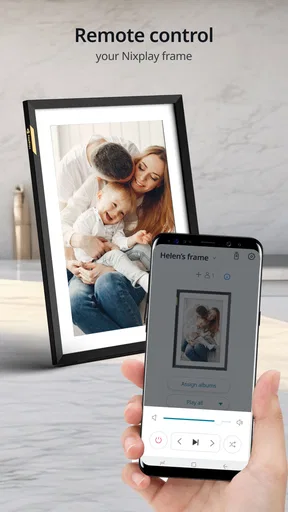
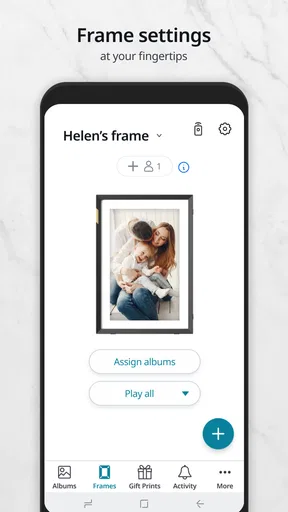
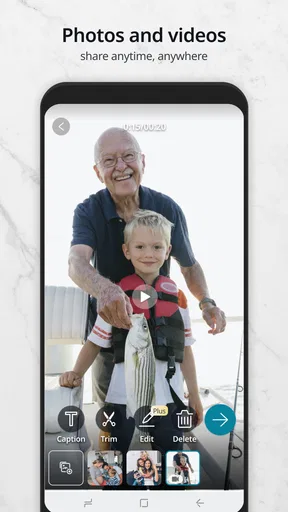
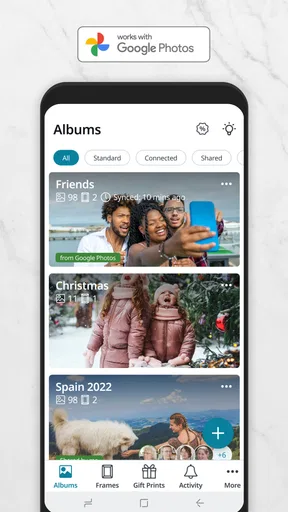
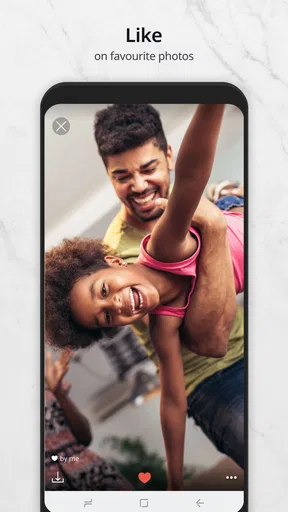
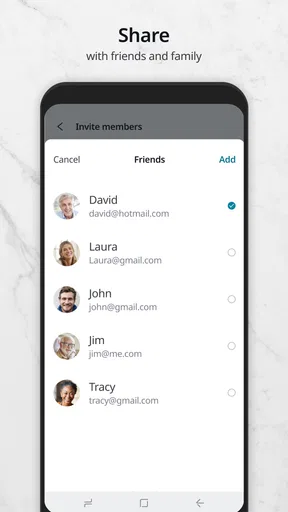
Our Review of Nixplay App
 Analysis by Appyee
I first thought of the Nixplay App as a straightforward way to get phone photos onto a digital frame. Its appeal is still that simple: rather than passing a device around to show pictures, you can send selected images to a Nixplay frame and let them become part of the room. In my experience, that works best when the frame is already part of your household routine and you want photo sharing to feel less like a one-off task.
Where setup can feel less simple
The app is free to install, but using it is tied to having a Nixplay Wi-Fi frame; it is not a general-purpose gallery for displaying photos on any screen. That distinction matters before you spend time arranging albums. If you are still choosing a display, think of this as the companion to a particular frame ecosystem, not as a replacement for a TV slideshow, a shared cloud album, or a phone’s built-in photo viewer.
It is a photography app from Nixplay, and the basic idea is easy to grasp: select photos, organize them, and send them to a frame. The friction tends to show up around the handoff between those steps. When a picture does not appear right away, it can be tempting to tap upload repeatedly or rebuild a playlist. I would first check that the app is connected to the frame you intend to use and give the transfer a moment before making duplicate changes.
Small checks that make the first session smoother
Before inviting relatives or selecting a large batch, I would start with a small test set. Send a few pictures you know you want on display, then check the frame itself. This confirms that you have chosen the intended destination and gives you a chance to see how those images look in the room. It is a practical way to catch an unexpected crop or an image that feels too personal for a shared display before the playlist grows.
It also helps to treat playlist organization as a viewing decision, not just a filing task. A frame in a kitchen may suit everyday snapshots, while one in a shared living space might call for a more considered mix. If friends and family can contribute, agree on which playlist is appropriate for new arrivals. That little bit of coordination can prevent a pleasant shared album from becoming a stream of pictures nobody meant to put on display.
Getting back on track when a transfer stalls
When syncing seems slow, I would avoid changing several things at once. Check the selected playlist and destination first, then try a small, known photo rather than resending a whole library. If that works, the issue may be tied to the size of the batch or the particular selection rather than the entire setup. If it does not, pause before deleting playlists or inviting everyone again; those steps make it harder to tell what actually fixed the problem.
A useful habit is to make changes in the app and then verify the result at the frame, rather than assuming that a completed-looking action has already changed what is on display. For a family gathering, I would prepare the photos ahead of time and check the frame before guests arrive. The app is most reassuring when there is room for that confirmation, and less convenient when you need an instant fix while people are waiting.
When the problem may be elsewhere
A missing picture does not automatically mean the app itself is at fault. The frame is the final destination, so it is worth checking whether the selected frame and the playlist are the ones you meant to use. A photo can also be present in a collection without being part of the particular sequence currently being shown. That distinction is easy to overlook when you are moving quickly between organizing and displaying.
For a large library, patience is part of the workflow. The original appeal of sending a picture in a few taps remains, but a big batch can take more effort to manage than a handful of favorites. I would split a major upload into smaller, purposeful groups and check each group before adding more. That makes it easier to spot a selection mistake and gives you a cleaner playlist to maintain later.
How I’d use it day to day
A realistic routine is to add a few recent family photos after a weekend visit, check that they appear on the frame, and then leave the display to do its job. That is different from using a phone album, where you actively open the app and scroll. The Nixplay approach is strongest when the photos are meant to be seen casually by people who share a home or visit often, rather than searched for on demand.
Compared with a shared online album, a frame gives selected pictures a visible place in the home, but it is less suited to browsing a large archive. Compared with casting a phone slideshow to a television, it is designed around an ongoing display rather than a single viewing session. I would choose the frame workflow for a stable, curated stream; I would choose a cloud album for searching and storing many images, or a TV slideshow when everyone is gathered around one screen.
Getting Started with Nixplay
Installing the Nixplay App is a breeze. Available on both Android and iOS, you simply download it from your app store, and voilà – you’re ready to go. The app itself is sleek and intuitive, making it easy for tech novices and savvy users alike. Once installed, you can link it to your Nixplay digital frame, and the magic begins!
Features That Stand Out
What really caught my eye with the Nixplay App is its ability to effortlessly sync with your digital frame. You can upload photos directly from your phone, Facebook, Instagram, and even Google Photos. It’s like having a one-stop shop for all your photo-sharing needs.
One of the standout features is the playlist creation. You can organize your photos into playlists and decide which ones should get the spotlight. The app even allows you to invite family and friends to contribute to these playlists, so it feels like a collaborative photo album. This feature is especially great for family events or keeping in touch with loved ones from afar.
Usability and Interface
The user interface is quite friendly. Everything is laid out clearly, and the navigation is smooth. Adding photos is as simple as a few taps, and managing your playlists is straightforward. Plus, the app offers a variety of settings to adjust how your photos are displayed on the frame. You can customize transition effects, display duration, and even the order of photos.
There’s also a handy scheduling feature which lets you control when the frame is on or off. This is great for saving energy or ensuring that your photos are displayed during specific times of the day. The flexibility here is a real game-changer for those who like to have control over their displays.
Connecting with Loved Ones
One of the things I love most about the Nixplay App is how it fosters connection. You can invite family members to share their photos directly to your frame. This means that even if you're miles apart, you can still enjoy moments together. I’ve found it particularly heartwarming to see new photos from family pop up unexpectedly on my frame.
Additionally, the app allows for direct communication. You can send text messages to the frame’s display, which adds a personal touch to the photo-sharing experience. It’s a simple feature, but it really helps in making the experience feel more interactive and engaging.
Room for Improvement?
While the Nixplay App is mostly a delight to use, there are a couple of areas that could be fine-tuned. Occasionally, syncing issues can arise, especially when dealing with large photo libraries. Although not a dealbreaker, it can be a bit of a hiccup if you’re in a hurry to get your photos up.
The app is also primarily designed to work in tandem with Nixplay frames. If you’re hoping to use it independently or with other devices, your options might be limited. However, this integration is what makes the app so seamless with Nixplay products.
Who will get the most from it
I would recommend it most to someone who already owns a Nixplay frame and wants relatives to contribute without needing to be in the same room. It can be especially useful for keeping grandparents in touch with children’s everyday moments, or for a household that wants a rotating display without turning on a television. The shared contribution idea is appealing, but I would still keep the playlist choices intentional so the frame reflects what its audience actually wants to see.
It is a weaker fit if you mainly want a private photo library, detailed editing tools, or a way to display images on assorted devices. In those cases, a regular gallery or cloud album is more flexible and easier to use across platforms. The app’s focused relationship with Nixplay hardware is both its clearest advantage and its main limitation: it simplifies one job, but it does not remove the need for the compatible frame.
What to expect before relying on it
The app is free, though it includes in-app purchases ranging from $1.99 to $34.99 per item, so I would check the purchase details in the app before assuming every optional element is included at no cost. Its age rating is Everyone. The current version is 3.71.3, and it requires Android 7.0 or later. Those details are useful if you are setting it up on an older phone or helping a relative install it.
Its audience is substantial, with over one million installs, but the average rating is 1.9 from around 3,800 ratings, alongside about 2,100 written reviews. I would take that low score seriously as a reason to approach setup patiently rather than as proof that every household will have the same experience. Nixplay’s app has a clear purpose, but the quality of that experience depends on the frame connection and how reliably the photo workflow fits your needs.
Final Thoughts
Overall, the Nixplay App is a fantastic tool for anyone who loves to share and display their photos. Its user-friendly interface, combined with robust features like playlists and family sharing, makes it a must-have if you own a Nixplay digital frame.
If you’re looking to bring a bit more joy and connection into your digital photo experience, Nixplay is definitely worth a try. With its ability to keep loved ones close, no matter the distance, this app truly shines in its simplicity and functionality. Give it a go, and you might just find it becoming a staple in your digital life.
My practical verdict
I would approach it as a companion app for a shared display, not as an all-purpose photo tool. For a new owner, the best first move is a small test playlist, followed by a quick check of the frame before adding more pictures or inviting contributors. Once that basic routine is dependable, playlists, scheduling, and family submissions can make the frame feel naturally part of the home.
Nixplay was released on August 13, 2015, and its long-running purpose remains easy to understand: help people get selected photos onto a compatible Wi-Fi frame. If you already have that frame and value photos appearing in a common space, I think the app is worth trying, while keeping expectations measured around larger sync jobs. If you do not own a Nixplay frame or prefer browsing, editing, and storing pictures in one place, I would choose a standard gallery or shared album instead.
Verdict
Strengths of Nixplay App
- User-friendly interface makes navigation easy.
- Seamless photo upload from various devices.
- High-quality display enhances photo viewing.
- Customizable playlists for personalized slideshows.
- Remote control feature for convenient access.
Limitations of Nixplay App
- Requires Wi-Fi for optimal functionality.
- Subscription needed for some premium features.
- Limited editing options within the app.
- Occasional syncing delays reported by users.
- No direct social media integration available.
Similar Picks in This Category
View All
Google Photos
Google LLC4.4

Gallery
Google LLC4.2

Picsart AI Photo Editor, Video
PicsArt, Inc.3.9

B612 AI Photo&Video Editor
SNOW Corporation4.1

BeautyPlus-Selfie Photo Editor
PIXOCIAL TECHNOLOGY (SINGAPORE) PTE. LTD.4.5

Remini - AI Photo Enhancer
Bending Spoons4.1
Frequently Asked Questions
What features does the Nixplay app offer?
The Nixplay app allows users to easily manage and share photos and videos with their Nixplay digital frames. Features include cloud storage, playlists, and the ability to invite family members to contribute to photo albums. Users can also control frame settings remotely and schedule slideshow playtimes.
Is the Nixplay app compatible with all devices?
The Nixplay app is available for both Android and iOS devices, ensuring broad compatibility. However, it's important to check the specific operating system requirements to ensure optimal performance. The app is designed to work seamlessly with Nixplay digital frames, so having a compatible frame is essential.
How secure is the data in the Nixplay app?
Nixplay prioritizes user privacy and data security. The app employs encryption for data transfer and storage, ensuring that your photos and videos are protected. Additionally, users have control over who can access their shared albums, providing an extra layer of security and peace of mind.
Is there a cost associated with using the Nixplay app?
The Nixplay app is free to download and use. However, there are premium subscription options available that offer increased cloud storage and additional features. Users can choose the plan that best suits their needs, but basic functionality is accessible without any cost.
Can I use the Nixplay app without a Nixplay frame?
While the app can be downloaded and used independently, its features are optimized for integration with Nixplay digital frames. Without a frame, users will not be able to fully utilize the app's capabilities, such as remote frame management and direct photo sharing to the frame.
